Table of Contents
Introduction
You publish a website, hit the publish button on your first article, and then wait. A few hours pass. Then a few days. You search Google for your site and nothing appears.
For many website owners, bloggers, businesses, and marketers, this is where frustration begins.
A website that does not appear in Google search results is practically invisible. It cannot attract consistent organic traffic, generate leads, or build long-term visibility online. Even exceptional content becomes difficult to discover if search engines never properly index it.
Understanding how to index a website on Google fast matters because indexing is the foundation of search visibility. Before rankings, clicks, impressions, or conversions happen, Google must first discover and store your pages inside its search database.
The challenge is that indexing does not happen instantly. Some websites appear in Google within hours, while others struggle for weeks or even months.
The difference usually comes down to technical setup, content quality, crawl accessibility, website authority, and how efficiently Google can discover pages.
The good news is that faster indexing is not guesswork. There are proven methods that improve how quickly Google finds, crawls, and indexes your content.
In this guide, you will learn exactly how to get your website indexed faster, why websites often remain invisible in search results, common mistakes that delay indexing, and advanced strategies professionals use to speed up discovery.
What Does “Indexing” Mean in Google?
Before trying to speed things up, it helps to understand what indexing actually means.
Google indexing is the process where search engine bots discover, crawl, analyze, and store webpages in Google’s database so they can appear in search results.
Most people confuse crawling and indexing, but they are different stages.
| Process | Meaning | Purpose |
|---|---|---|
| Discovery | Google finds a URL | Makes a page known to Google |
| Crawling | Googlebot visits the page | Reads page content |
| Indexing | Google stores the page | Makes it eligible to rank |
| Ranking | Google positions the page | Determines search visibility |
Think of it like this:
- Google discovers your page.
- Google visits it.
- Google evaluates content quality.
- Google decides whether it deserves indexing.
- The page becomes eligible to rank.
If indexing never happens, rankings cannot happen.
This is why a strong technical SEO foundation matters. Businesses wanting stronger visibility should understand how proper optimization affects discovery, crawling, and search performance through a practical technical SEO strategy for website performance.
Why Some Websites Index Fast While Others Do Not
Google does not treat every website equally.
Some domains get crawled multiple times daily, while others wait weeks between visits.
Several factors influence indexing speed.
Website Authority
Established websites tend to get indexed faster because Google already trusts them.
If a domain consistently publishes quality content and earns links, Googlebot visits more frequently.
A brand-new website with no authority usually experiences slower indexing.
This is normal.
Building credibility over time helps.
Businesses trying to grow sustainable visibility often combine technical improvements with a long-term SEO roadmap for beginners.
Content Quality
Thin, duplicate, or low-value pages often stay unindexed.
Google prefers content that:
- Solves problems
- Answers real search intent
- Demonstrates expertise
- Offers original value
- Covers topics comprehensively
If your content looks copied, shallow, or keyword-stuffed, indexing slows dramatically.
Internal Website Structure
Poor site architecture creates crawl problems.
For example:
- Broken links
- Orphan pages
- Confusing navigation
- Deep page hierarchy
If Google cannot easily move through your site, indexing becomes inefficient.
Technical Errors
Several technical problems block indexing entirely.
Common issues include:
- Noindex tags
- Robots.txt restrictions
- Server errors
- Slow performance
- Redirect loops
- Duplicate pages
Even excellent content fails if technical foundations break.
Step-by-Step Guide to Index Website on Google Fast
Now let us move into practical action.
1. Set Up Google Search Console Immediately
If there is one tool every website owner should use, it is Google Search Console.
It helps you:
- Submit URLs
- Monitor indexing
- Find crawl issues
- Detect errors
- Analyze search visibility
Without it, you are essentially guessing.
Setting it up early dramatically improves indexing speed because you can directly notify Google about new content.
You can also learn how to use reporting, URL inspection, and indexing insights through a practical guide to using Google Search Console for SEO growth.
Why Search Console Matters
Search Console gives direct visibility into:
- Indexed pages
- Excluded pages
- Crawl activity
- Mobile usability
- Sitemap status
- Performance metrics
More importantly, it gives you URL inspection functionality.
This feature helps request indexing manually.
2. Submit Your Sitemap to Google
A sitemap acts like a roadmap for search engines.
It tells Google:
“Here are my important pages. Crawl these.”
Most CMS platforms generate one automatically.
Common sitemap locations include:
- domain.com/sitemap.xml
- domain.com/sitemap_index.xml
After creating it:
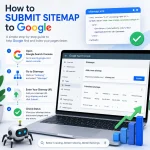
- Open Search Console
- Go to Sitemaps
- Add sitemap URL
- Submit
This single step can significantly improve discovery speed.
If you have never submitted one before, review a beginner-friendly guide explaining how to submit a sitemap to Google properly.
3. Request Manual Indexing Using URL Inspection
One of the fastest ways to get indexed is simple.
Request indexing directly.
Inside Search Console:
- Paste page URL
- Click URL Inspection
- Wait for page analysis
- Select “Request Indexing”
This places your URL in Google’s priority crawling queue.
Although not guaranteed, many pages index within hours or days after submission.
Use this especially for:
- New blog posts
- Landing pages
- Product pages
- Updated content
- Time-sensitive pages
4. Improve Internal Linking
Google discovers pages through links.
If a page has no internal links pointing toward it, discovery slows dramatically.
These forgotten pages are called orphan pages.
Strong internal linking improves:
- Crawl efficiency
- Topic authority
- User navigation
- Faster discovery
For example:
A blog about keyword research should naturally connect with content explaining how to do keyword research for SEO.
A discussion about rankings could point toward a practical on-page SEO checklist for higher rankings.
Internal Linking Best Practices
- Link relevant pages naturally
- Use descriptive anchor text
- Avoid spammy overlinking
- Create topic clusters
- Keep navigation clean
Googlebot follows links.
Better links equal better crawling.
5. Publish High-Quality Content From Day One
Many websites fail at indexing because content quality is weak.
Google increasingly prioritizes helpful content signals.
Ask yourself:
Does this content genuinely solve a problem?
Weak content often includes:
- Repetitive wording
- Thin explanations
- Generic advice
- AI-generated fluff
- No expertise
- Surface-level coverage
Good content usually includes:
- Examples
- Expert recommendations
- Clear formatting
- Actionable insights
- Unique perspectives
- Real experience
Content depth matters.
Businesses exploring smarter optimization often compare human expertise against automation in this discussion about AI content versus human-written SEO content.
6. Fix Crawl Errors Fast
Sometimes Google cannot access your pages.
Search Console usually reveals why.
Common problems include:
Blocked by Robots.txt
Your robots.txt file may accidentally block pages.
Example:
Disallow: /
This blocks everything.
Always check crawl permissions.
Noindex Meta Tag
If a page contains:
<meta name="robots" content="noindex">
Google will ignore it.
Many websites accidentally leave this setting enabled.
Broken Pages
404 errors reduce crawl efficiency.
Google dislikes wasting resources on broken experiences.
Slow Server Response
Performance matters.
Slow websites reduce crawl frequency.
A proper website speed and Core Web Vitals strategy helps improve both indexing and rankings.
7. Build Backlinks to Accelerate Discovery
Backlinks help Google discover content faster.
When trusted sites link to your pages, crawlers often follow those links.
You do not need thousands.
Even a few quality mentions help.
Effective sources include:
- Guest posts
- Business directories
- Partnerships
- Industry publications
- Niche citations
Strong authority-building matters for indexing and rankings alike.
A practical off-page SEO and link-building strategy explains how businesses approach this sustainably.
8. Keep Updating Your Website
Inactive websites crawl slower.
Fresh publishing signals activity.
Google tends to revisit active websites more frequently.
Consistency matters more than volume.
A realistic schedule works better than publishing aggressively and disappearing.
Good publishing habits include:
- Weekly blog updates
- Updating old pages
- Refreshing outdated information
- Expanding thin content
- Fixing outdated statistics
How Long Does Google Take to Index a Website?
One of the most common questions website owners ask is simple:
“How long does Google take to index a website?”
The honest answer is: it depends.
Some pages appear in search results within minutes. Others take weeks.
Several variables influence indexing speed.
| Factor | Faster Indexing | Slower Indexing |
|---|---|---|
| Website authority | Established domains | Brand-new websites |
| Content quality | Original, helpful content | Thin or duplicate content |
| Internal links | Strong structure | Orphan pages |
| Technical SEO | Crawlable website | Errors and blocks |
| Backlinks | Trusted references | No authority signals |
| Website activity | Regular updates | Inactive site |
Typical Indexing Timeline
Here is a realistic expectation:
- Hours to 3 days: Strong websites with authority
- 3–14 days: Properly optimized newer websites
- Several weeks or months: Poor technical setup or weak content
Google does not guarantee indexing timelines.
The goal is not forcing indexing. The goal is removing obstacles so indexing happens naturally and quickly.
Signs Google Has Indexed Your Website
Many beginners check indexing incorrectly.
Instead of searching the exact page title, use a site operator.
Search this format:
site:yourdomain.com
Or for a specific URL:
site:yourdomain.com/page-url
If Google returns results, indexing happened.
You can also check inside Search Console.
Go to:
Indexing → Pages
Or inspect the URL directly.
Typical messages include:
- URL is on Google
- URL is not indexed
- Crawled – currently not indexed
- Discovered – currently not indexed
Each status means something different.
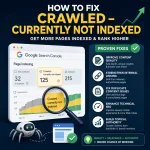
“Crawled – Currently Not Indexed”
This frustrates many site owners.
Google visited the page but decided not to add it yet.
Common reasons include:
- Thin content
- Weak originality
- Poor user experience
- Lack of authority
- Low-value pages
In many cases, improving content quality solves the issue.
“Discovered – Currently Not Indexed”
Google found the page but has not crawled it.
This often happens because:
- Website authority is low
- Crawl budget is limited
- Internal linking is weak
- Server performance is poor
Improving discoverability usually speeds things up.
Create Content Google Actually Wants to Index
Google does not index pages simply because they exist.
It indexes pages because they add value.
This distinction matters.
If your page looks identical to hundreds of others online, indexing becomes slower and rankings harder.
Instead of asking:
“How can I publish more pages?”
Ask:
“How can I publish better pages?”
Characteristics of Highly Indexable Content
Strong content usually includes:
- Clear search intent alignment
- Original insights
- Practical value
- Strong formatting
- Helpful examples
- Logical structure
- Readability
For example, if someone searches:
“How to index website on Google fast”
They likely want:
- Actionable steps
- Fast solutions
- Technical fixes
- Clear explanations
- Beginner guidance
They do not want vague theory.
Matching user intent matters.
Businesses adapting to evolving search behavior should understand how AI is changing SEO in 2026 because Google increasingly evaluates usefulness and context rather than outdated keyword-heavy tactics.
Structure Content for Better Crawlability
Readable pages help users and search engines.
A strong page structure includes:
- Descriptive headings
- Short paragraphs
- Lists
- Tables
- Clear navigation
- Relevant internal links
Bad formatting creates friction.
Large text blocks reduce readability and engagement.
Good structure improves:
- Dwell time
- Crawl efficiency
- Comprehension
- User satisfaction
Why Your Website Is Not Indexing
Sometimes pages simply refuse to appear.
Here are the most common reasons.
1. Your Website Is New
Brand-new domains often face slower discovery.
Google does not instantly trust unknown websites.
This phase is normal.
Focus on:
- Publishing quality content
- Submitting sitemaps
- Requesting indexing
- Improving internal links
- Earning backlinks
Patience matters.
2. Technical SEO Problems
Technical problems quietly destroy indexing.
Common examples include:
- Robots.txt restrictions
- Noindex tags
- Redirect errors
- Duplicate pages
- Broken navigation
- Slow hosting
Many businesses underestimate how much technical health impacts visibility.
A detailed technical SEO guide for better website performance explains how crawlability, speed, and user experience influence discoverability.
3. Weak Internal Linking
If Google cannot find your pages through links, indexing slows.
A strong internal structure acts like a map.
For example:
A page discussing SEO basics should naturally connect with a practical beginner SEO guide for 2026.
A discussion about search optimization could reference an actionable on-page SEO checklist for better rankings.
These connections help Google understand topical relationships.
4. Duplicate Content
Duplicate content creates confusion.
If Google sees nearly identical pages, it may ignore some of them.
Examples include:
- Copied product descriptions
- Duplicate location pages
- Near-identical articles
- URL parameter duplication
Instead:
- Rewrite content uniquely
- Consolidate duplicates
- Use canonical tags where needed
5. Thin Pages
A 200-word article offering no useful information rarely performs well.
Google increasingly evaluates content quality.
Low-value content may receive:
- Delayed indexing
- No indexing
- Poor rankings
Ask yourself:
Would someone bookmark this page?
Would they share it?
Would they find it genuinely useful?
If not, improvement is needed.
The Fastest Ways to Get Google to Notice New Pages
If speed matters, prioritize these tactics.
Method 1: Request Indexing Immediately
This remains one of the fastest wins.
After publishing:
- Open Search Console
- Inspect URL
- Request indexing
Simple but effective.
Method 2: Link From Existing Indexed Pages
Google revisits indexed pages often.
Add links from:
- Blog homepage
- Popular articles
- Category pages
- Navigation menus
This improves discovery speed.
Method 3: Publish Supporting Content Clusters
Google loves topical authority.
Instead of isolated pages, build connected ecosystems.
For example:
A website about SEO could publish:
- Keyword research guide
- Technical SEO article
- On-page optimization checklist
- Link-building strategy
- Local SEO guide
Relevant content clusters improve crawl frequency and topical trust.
For example, local businesses trying to gain visibility often benefit from understanding local SEO fundamentals for business growth.
Method 4: Improve Website Authority
Authority affects crawl priority.
Ways to build authority include:
- High-quality backlinks
- Expert content
- Brand mentions
- Consistent publishing
- Better user experience
Authority compounds over time.
Method 5: Share Content Strategically
Although social shares are not direct ranking factors, they help visibility.
More visibility means:
- More discovery
- More clicks
- More backlink opportunities
Channels include:
- Industry communities
- Forums
- Newsletters
- Professional networks
The more discoverable content becomes, the more likely Google sees engagement signals around it.
Comparison: Fast Indexing vs Slow Indexing Websites
| Factor | Fast Indexing Website | Slow Indexing Website |
|---|---|---|
| Content | Helpful and original | Thin or repetitive |
| Technical SEO | Optimized | Broken setup |
| Sitemap | Submitted | Missing |
| Internal links | Strong | Weak |
| Search Console | Configured | Ignored |
| Authority | Growing trust | No signals |
| Updates | Consistent | Rare publishing |
The pattern becomes obvious.
Fast indexing is rarely luck.
It usually reflects stronger foundations.
Common Mistakes
Website owners often sabotage indexing without realizing it.
Here are the most common mistakes.
1. Publishing Thin Content
Quantity without quality rarely works.
Ten excellent pages outperform one hundred weak ones.
2. Ignoring Google Search Console
Skipping Search Console removes visibility into indexing problems.
You cannot fix issues you cannot see.
Learning how to use Google Search Console effectively helps uncover crawl and indexing bottlenecks.
3. Forgetting Sitemap Submission
Many websites never submit a sitemap.
Google can still discover pages, but discovery becomes slower.
4. Blocking Search Engines Accidentally
This mistake happens more than people realize.
Examples include:
- Noindex settings
- Blocked robots.txt
- CMS indexing disabled
5. Weak Site Architecture
Messy navigation hurts crawlability.
Pages buried six clicks deep usually struggle more.
Keep important content accessible.
6. Expecting Overnight Results
Even perfect websites sometimes need time.
Faster indexing improves probability, not certainty.
7. Overusing AI-Generated Low-Quality Content
Mass publishing low-value articles often backfires.
Search engines increasingly prioritize originality and usefulness.
Marketers debating automation should understand the difference between AI-generated SEO content and human-quality writing.
8. Ignoring User Experience
Poor UX indirectly hurts performance.
Examples include:
- Slow loading
- Confusing layout
- Intrusive popups
- Weak readability
Google increasingly evaluates user satisfaction signals.
Advanced Strategies
Once the basics are working, advanced tactics can help accelerate indexing even further and strengthen long-term search visibility.
These strategies matter most for businesses, publishers, ecommerce websites, and content-heavy platforms that publish regularly.
Build Topical Authority Instead of Random Content
One of the biggest indexing mistakes is publishing disconnected articles.
For example:
A website publishes:
- Dog training
- Crypto investing
- Kitchen renovation
- SEO tutorials
Google struggles to understand expertise.
Instead, build topic clusters.
If your website focuses on SEO, publish supporting content around connected themes.
Example content ecosystem:
| Core Topic | Supporting Topics |
|---|---|
| SEO | Keyword research |
| SEO | Technical optimization |
| SEO | Link building |
| SEO | AI search visibility |
| SEO | Search Console tutorials |
| SEO | Local optimization |
This helps Google understand expertise and increases crawl frequency because related pages reinforce one another.
Businesses adapting to changing search behavior often explore how to rank in AI search results to understand how semantic relevance and topical authority influence discoverability.
Strengthen Crawl Depth
Crawl depth matters more than many website owners realize.
If a page takes seven clicks to reach, Google may prioritize it less.
An efficient website structure looks like this:
Homepage → Category → Supporting Content → Specific Page
Important pages should be easy to access.
A good rule:
Keep valuable pages within three clicks from the homepage whenever possible.
Improve Crawl Paths With Strategic Internal Links
Googlebot behaves like a visitor moving between pages.
Every internal link creates a discovery path.
High-performing websites intentionally create link relationships.
For example:
A guide discussing optimization techniques may naturally point readers toward common SEO mistakes that hurt rankings.
A technical guide can connect with website performance and Core Web Vitals optimization.
These relationships strengthen crawl efficiency.
Update Existing Content Instead of Constantly Publishing New Pages
Many website owners believe publishing more content automatically means faster indexing.
Not always.
Google values freshness.
Refreshing existing content often produces stronger results than constantly adding low-value pages.
Update:
- Statistics
- Outdated recommendations
- Screenshots
- Examples
- Keywords
- Internal links
- Missing sections
Refreshing content sends positive maintenance signals.
A well-maintained site usually receives more frequent crawls.
Use Smart Internal Anchor Text
Internal linking matters, but anchor text matters too.
Bad example:
Click here
Better example:
technical SEO guide for website performance
Google uses anchor text for context.
Descriptive wording improves semantic understanding.
Avoid spammy repetition.
Instead of repeating the exact keyword every time, vary naturally.
Examples:
- improve technical SEO
- website performance optimization
- SEO fundamentals
- search visibility strategy
Natural language works better than forced optimization.
Improve Crawl Budget Efficiency
Larger websites eventually face crawl budget challenges.
Crawl budget refers to how much time and attention Google allocates to your site.
If Google wastes resources crawling low-value pages, important pages may get delayed.
Common crawl budget issues:
- Duplicate URLs
- Thin archive pages
- Broken pages
- Infinite URL parameters
- Poor internal structure
Fixing inefficiencies helps Google focus on valuable pages.
Reduce Low-Value Pages
Audit your website regularly.
Remove or consolidate pages with:
- No traffic
- Duplicate intent
- Thin content
- Outdated information
Sometimes fewer pages create better results.
Optimize for AI Search and Semantic Discovery
Modern indexing is no longer just about keywords.
Google increasingly understands:
- Meaning
- Context
- Intent
- Relationships between concepts
This shift matters.
Instead of repeating one phrase excessively, cover connected ideas naturally.
For example, a page about indexing should also mention:
- Googlebot
- crawling
- sitemap submission
- search visibility
- Search Console
- crawl errors
- internal linking
- technical SEO
- indexing requests
This creates semantic depth.
Businesses adapting to future search trends often monitor the future of SEO with artificial intelligence to better understand evolving indexing behavior.
Build Authority Signals Gradually
Google indexes trusted websites faster.
Trust grows from signals such as:
- Consistent publishing
- Strong backlinks
- Branded searches
- Positive engagement
- Helpful content
- Reliable technical performance
Authority compounds.
This means indexing often becomes easier over time.
A brand-new website may struggle initially but gain momentum after months of consistent effort.
Key Metrics To Track
Faster indexing becomes easier when measured properly.
Guessing creates blind spots.
Tracking creates clarity.
Here are the most useful metrics to monitor.
| Metric | Why It Matters | Tool |
|---|---|---|
| Indexed pages | Tracks search visibility | Search Console |
| Crawl errors | Finds technical blockers | Search Console |
| Impressions | Measures visibility growth | Search Console |
| Organic traffic | Shows SEO progress | Analytics |
| Crawl stats | Understands crawl frequency | Search Console |
| Page speed | Affects crawling efficiency | PageSpeed Insights |
| Internal links | Improves discovery | SEO tools |
Monitor Indexed Page Growth
Inside Search Console, review:
Indexing → Pages
Watch for:
- Indexed pages increasing
- Excluded pages decreasing
- Error reduction
If indexing stalls, investigate immediately.
Watch Crawl Stats
Google Search Console includes crawl statistics.
Pay attention to:
- Crawl requests
- Server response times
- Crawl success rate
Frequent crawling often signals stronger indexing momentum.
Measure Organic Impressions
Even before traffic grows, impressions matter.
Impressions indicate:
“Google is beginning to surface your pages.”
This early visibility often comes before rankings improve.
Track Website Performance
Slow websites create friction.
Poor performance can reduce crawl efficiency and hurt engagement.
Businesses improving technical performance often combine indexing improvements with website speed optimization and Core Web Vitals improvements.
Monitor User Behavior Signals
Good user experience indirectly supports stronger SEO performance.
Useful signals include:
- Time on page
- Bounce rate trends
- Session depth
- Returning visitors
Helpful content keeps users engaged.
Engagement improves trust signals over time.
For businesses wanting deeper visibility insights, understanding Google Analytics setup for SEO reporting helps track user behavior more effectively.
Real-World Scenario: Why One Website Indexed in 24 Hours and Another Took 2 Months
Imagine two businesses launch websites on the same day.
Website A
What they did:
- Configured Search Console
- Submitted sitemap
- Published helpful content
- Used internal linking
- Built backlinks
- Fixed technical issues
- Updated content regularly
Result:
Indexed within days.
Website B
What they did:
- Published thin articles
- Ignored Search Console
- No sitemap
- Weak structure
- Duplicate content
- Slow hosting
Result:
Weeks of poor indexing.
The difference is not luck.
It is execution.
Google rewards accessible, trustworthy, helpful websites.
Beginner Checklist for Fast Google Indexing
If you want a simple roadmap, follow this checklist.
Technical Checklist
- Set up Google Search Console
- Submit sitemap
- Request indexing
- Remove noindex errors
- Improve page speed
- Fix crawl problems
- Ensure mobile friendliness
Content Checklist
- Publish helpful content
- Match search intent
- Avoid thin pages
- Use semantic keywords naturally
- Add examples and expertise
- Improve readability
SEO Checklist
- Add internal links
- Earn backlinks gradually
- Optimize on-page SEO
- Monitor crawl status
- Update old content
Website owners wanting a stronger foundation can follow a structured on-page SEO checklist for better rankings to improve discoverability and long-term performance.
Key Takeaways
Before moving into FAQs, here are the most important lessons.
- Google indexing is the first step before rankings happen.
- Search Console dramatically improves visibility into indexing.
- Submitting a sitemap speeds discovery.
- Internal links help Google find pages faster.
- Content quality strongly affects indexing decisions.
- Technical errors often block indexing completely.
- Backlinks help discovery and authority.
- Topical authority increases crawl frequency over time.
- Faster indexing comes from better foundations, not shortcuts.
- Consistent website improvements outperform quick fixes.
Frequently Asked Questions
How can I index my website on Google quickly?
The fastest approach includes:
- Setting up Search Console
- Submitting a sitemap
- Requesting indexing
- Adding internal links
- Publishing quality content
- Fixing technical issues
These actions improve crawl accessibility and discovery speed.
Why is Google not indexing my website?
Common reasons include:
- Technical errors
- Noindex tags
- Weak content
- Poor site structure
- Missing sitemap
- New domain status
- Low authority
Search Console usually reveals the problem.
How long does Google take to index a website?
Indexing can happen within hours, days, or weeks depending on content quality, website trust, technical setup, and crawl accessibility.
Does submitting a sitemap guarantee indexing?
No.
A sitemap helps discovery, but Google still decides whether a page deserves indexing based on usefulness and quality.
Can poor content stop indexing?
Yes.
Thin, repetitive, or low-value content often experiences delayed indexing or no indexing at all.
Do backlinks help faster indexing?
Yes.
Backlinks help Google discover pages and improve authority signals, often speeding crawl activity.
Should I request indexing for every page?
Usually yes for important new pages, especially after publishing or major updates.
Can website speed affect indexing?
Yes.
Slow performance reduces efficiency and can negatively affect crawl behavior and user experience.
Does updating old content help indexing?
Yes.
Refreshing content signals website activity and often improves crawl frequency.
Is Google Search Console necessary?
Technically no, but practically yes.
Without it, diagnosing indexing problems becomes far more difficult.
Conclusion
Getting a website indexed on Google fast is less about hacks and more about removing friction.
Google must discover your pages, crawl them efficiently, understand their value, and trust your website enough to include them in search results.
That process becomes dramatically faster when you focus on fundamentals.
Start with Google Search Console. Submit your sitemap. Request indexing. Improve internal links. Publish genuinely helpful content. Fix technical issues quickly. Build authority gradually.
Most importantly, stop chasing shortcuts.
Fast indexing happens when a website becomes easy to crawl, useful to users, technically healthy, and consistently maintained.
If you focus on those fundamentals, indexing stops feeling unpredictable and starts becoming repeatable.